
After careful consideration I have decided to transfer all hardware review activities to a new domain. I purchased Hardwareasylum.com in 2012 and have been working hard to build a new and improved Ninjalane on that domain. If you are reading this you have reached one of the archived articles, news, projects and/or reviews that were left behind during the site migration.
Please update your bookmarks and be sure to visit the new and improved Ninjalane at Hardwareasylum.com
ThermalTake Element S Case Review
Author: Dennis Garcia
Published: Tuesday, March 10, 2009

Case Layout and Features
Overall case styling is very conservative; all of the edges have been rounded over to hide the square nature of the computer chassis. Cooling features have been muted for the most part and the front door hides everything from view. Outer styling is a flat black for a reduced glare and does a great job at hiding things such as dust. The surface does show fingerprints and scratches so a fair amount of care needs to be exercised in handling this case.
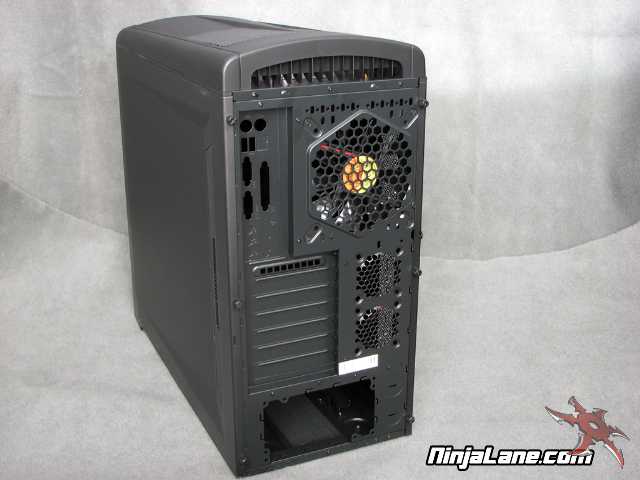
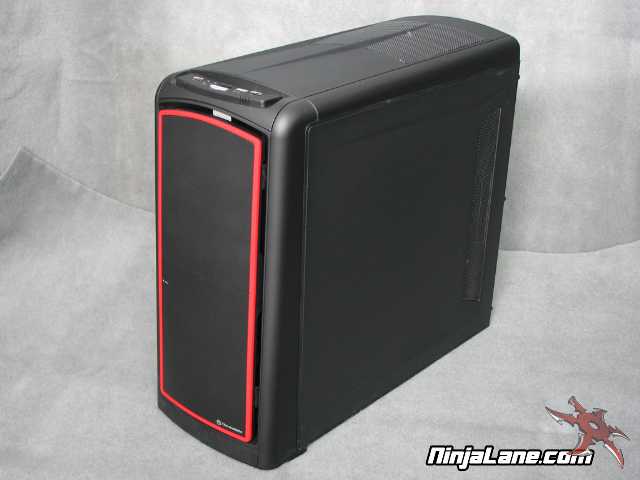
Here are some specifications specific to the Element S
Case Type Mid Tower
Material SECC
Front Bezel Material Plastic
Color Black
Side Panel Solid
Motherboard Support Micro ATX, Standard ATX
Motherboard Tray No
5.25" Drive Bay 3
Int. 3.5" Drive Bay 7
Expansion Slots 7
Front I/O Ports USB 2.0 x 2, eSATA & HD Audio ports
Dimension (H*W*D) 21.3 x 9.1 x 19.9 in / 505 x 230 x 540 mm
Net Weight 19.49 lbs / 8.84 kg
Cooling System
- Front (intake) : 120 x 120 x 25 mm TurboFan, 1300 rpm, 17 dBA : 120 x 120 x 25 mm (optional)
- Rear (exhaust) : 140 x 140 x 25 mm TurboFan, 1000 rpm, 16 dBA
- Top(exhaust) : 230 x 230 x 20 mm red LED fan, 800 rpm, 15 dBA
- VGA (exhaust) : Two 60 x 60 mm fan(optional)
Case Type Mid Tower
Material SECC
Front Bezel Material Plastic
Color Black
Side Panel Solid
Motherboard Support Micro ATX, Standard ATX
Motherboard Tray No
5.25" Drive Bay 3
Int. 3.5" Drive Bay 7
Expansion Slots 7
Front I/O Ports USB 2.0 x 2, eSATA & HD Audio ports
Dimension (H*W*D) 21.3 x 9.1 x 19.9 in / 505 x 230 x 540 mm
Net Weight 19.49 lbs / 8.84 kg
Cooling System
- Front (intake) : 120 x 120 x 25 mm TurboFan, 1300 rpm, 17 dBA : 120 x 120 x 25 mm (optional)
- Rear (exhaust) : 140 x 140 x 25 mm TurboFan, 1000 rpm, 16 dBA
- Top(exhaust) : 230 x 230 x 20 mm red LED fan, 800 rpm, 15 dBA
- VGA (exhaust) : Two 60 x 60 mm fan(optional)
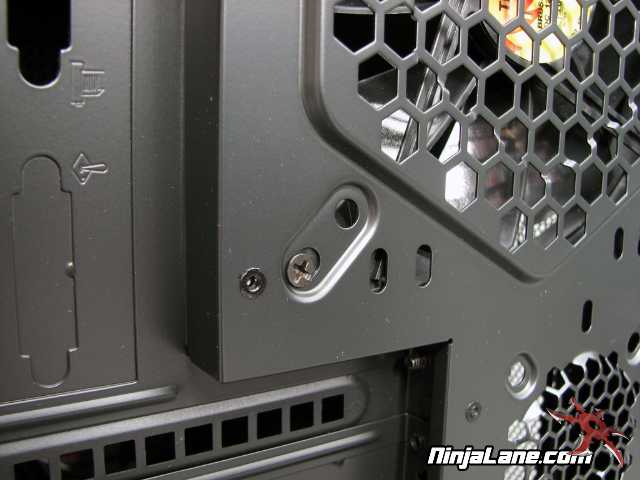
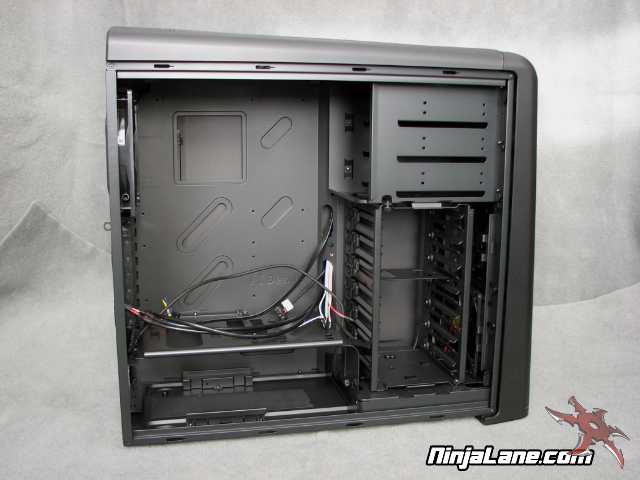
The first thing you may notice is the red band around the door; this is the only color you will find on the case. Even the pop rivets were painted over after case assembly so that everthing was black.